
Choosing between Elementor Free and Elementor Pro can be daunting. Dive into this guide to discover which version best suits your website needs and goals.
Key Features of Elementor Free
Elementor Free, the foundational version of the popular page builder plugin, offers a robust set of tools that enable you to design and build your website with ease. It provides an intuitive drag-and-drop interface that allows even those with minimal technical skills to create visually appealing pages. You can start by choosing from a variety of basic widgets such as text blocks, image galleries, and buttons. These components can be easily customized to fit your design needs, making it a versatile choice for beginners as well as experienced webmasters.
One of the standout features of Elementor Free is its responsive design capabilities. The plugin ensures that your website looks great on all devices, from desktop computers to smartphones. With the ability to preview your site on different screen sizes, you can make adjustments on the fly to ensure a seamless user experience. Furthermore, Elementor Free includes a selection of pre-designed templates and blocks that can be imported and customized, saving you time and effort in the design process.
Another notable feature of Elementor Free is its compatibility with a wide range of WordPress themes and plugins. This ensures that you can integrate Elementor into your existing website setup without any conflicts. Additionally, the plugin supports custom CSS, allowing more advanced users to implement specific design elements and styles. Overall, Elementor Free provides a comprehensive toolkit for building beautiful and functional websites without the need for extensive coding knowledge.
Key Features of Elementor Pro
While Elementor Free offers a solid foundation, Elementor Pro takes your website building capabilities to the next level with an array of advanced features. One of the most significant advantages of upgrading to Pro is access to a broader range of widgets and design elements. This includes advanced widgets like forms, sliders, price tables, and more, which can dramatically enhance the functionality and aesthetics of your site. These additional widgets provide more options for customization and can help you create a more dynamic and engaging user experience.
Elementor Pro also introduces the Theme Builder, a powerful tool that allows you to design and customize every aspect of your website, from headers and footers to archive and single post templates. This level of control ensures that your site maintains a consistent look and feel across all pages, which is crucial for branding and user experience. Additionally, the Pro version includes a Popup Builder, enabling you to create and manage popups that can be used for promotions, lead generation, and more.
Another critical feature of Elementor Pro is the WooCommerce Builder, which is invaluable for those running online stores. This tool allows you to design custom product pages, shop pages, and other WooCommerce elements, providing a seamless shopping experience for your customers. Moreover, Elementor Pro offers advanced motion effects and animations, adding an extra layer of interactivity and visual appeal to your site. These features, combined with premium support and regular updates, make Elementor Pro a compelling choice for serious website creators.
Comparing the User Experience: Free vs Pro

When it comes to user experience, both Elementor Free and Pro offer intuitive interfaces that make the design process straightforward and enjoyable. The drag-and-drop editor is central to both versions, allowing users to create complex layouts without writing a single line of code. However, the Pro version significantly enhances the user experience with its expanded set of tools and features. The additional widgets and design elements available in Elementor Pro provide more options for customization, enabling users to create more sophisticated and unique designs.
In terms of workflow, Elementor Pro offers several features that streamline the design process. For instance, the Theme Builder allows users to save and reuse templates, which can be a huge time-saver. This feature is particularly useful for larger websites where maintaining a consistent design across multiple pages is essential. Additionally, the Pro version’s advanced design capabilities, such as custom CSS and motion effects, allow for more creative freedom and precision, which can be particularly appealing to professional designers and developers.
Another aspect of the user experience that sets Elementor Pro apart is the level of support and resources available. While Elementor Free users can access a variety of tutorials and community forums, Pro users benefit from premium support, including live chat and priority assistance. This can be incredibly valuable when facing complex design challenges or technical issues. Overall, the enhanced features and support offered by Elementor Pro contribute to a more efficient and enjoyable user experience.
Pricing Structure and Value for Money
When evaluating the pricing structure of Elementor Free vs Pro, it’s essential to consider the value that each version provides. Elementor Free, as the name suggests, is available at no cost, making it an excellent option for those on a tight budget or just starting with website design. Despite being free, it offers a comprehensive set of tools that can meet the needs of many users. However, for those looking to unlock the full potential of Elementor, the Pro version’s pricing structure is worth considering.
Elementor Pro is available through a tiered pricing model, with different plans to suit various needs and budgets. The entry-level plan, Essential, is priced at an affordable rate and includes access to all Pro features for a single website. This plan is ideal for individual website owners or small businesses. For those managing multiple sites, the Advanced and Expert plans offer support for several websites at a higher cost. Additionally, there are Studio and Agency plans designed for larger teams and agencies, providing access to more licenses and premium support.
When considering the value for money, Elementor Pro’s advanced features and tools can justify the investment, especially for users who require more customization and functionality. The ability to create custom themes, popups, and WooCommerce elements can significantly enhance your site’s user experience and conversion rates. Furthermore, the premium support and regular updates ensure that you are always equipped with the latest tools and solutions. In this context, Elementor Pro offers excellent value for those looking to take their website to the next level.
Use Cases for Elementor Free
Elementor Free is a versatile tool that caters to a wide range of use cases, making it a popular choice for various types of websites. One primary use case is for personal blogs and portfolios. Bloggers and creatives can use Elementor Free to design visually appealing pages that showcase their content and work. The drag-and-drop editor and pre-designed templates make it easy to create a professional-looking site without any coding knowledge. Additionally, the responsive design features ensure that their site looks great on all devices.
Another common use case for Elementor Free is small business websites. Small business owners can leverage the plugin to create functional and attractive websites that effectively communicate their brand and services. The basic widgets available in Elementor Free, such as contact forms, image galleries, and call-to-action buttons, provide essential functionality that can help drive engagement and conversions. Moreover, the plugin’s compatibility with various WordPress themes and plugins ensures that small business owners can integrate additional features as needed.
Non-profit organizations and community groups can also benefit from using Elementor Free. These groups often operate on limited budgets and may not have access to professional web design services. Elementor Free provides a cost-effective solution for building and maintaining a website that can help raise awareness, promote events, and engage with their audience. The ease of use and flexibility offered by Elementor Free make it an ideal choice for organizations looking to create an impactful online presence without significant financial investment.
Use Cases for Elementor Pro
Elementor Pro is designed to meet the needs of more advanced users and use cases, offering a range of features that can significantly enhance a website’s functionality and design. One primary use case for Elementor Pro is e-commerce websites. Online store owners can use the WooCommerce Builder to create custom product pages, shop pages, and other essential elements. This level of customization can help create a seamless shopping experience, which can lead to higher conversion rates and customer satisfaction. The advanced widgets, such as product carousels and price tables, further enhance the functionality of e-commerce sites.
Another significant use case for Elementor Pro is for agencies and freelancers who build websites for clients. The Pro version’s advanced tools and features allow designers to create highly customized and professional websites that meet specific client requirements. The Theme Builder is particularly valuable in this context, as it enables the creation of custom themes that can be applied across multiple client sites. Additionally, the ability to save and reuse templates can streamline the design process, making it more efficient and cost-effective for agencies and freelancers.
Large businesses and corporations can also benefit from the advanced capabilities of Elementor Pro. These organizations often require complex websites with multiple pages and features to support their operations and branding efforts. Elementor Pro’s advanced design tools, such as motion effects and custom CSS, allow for the creation of unique and dynamic sites that stand out. Moreover, the premium support and regular updates ensure that large businesses have access to the latest tools and solutions, helping them stay competitive in the digital landscape.
Performance and Speed: Free vs Pro
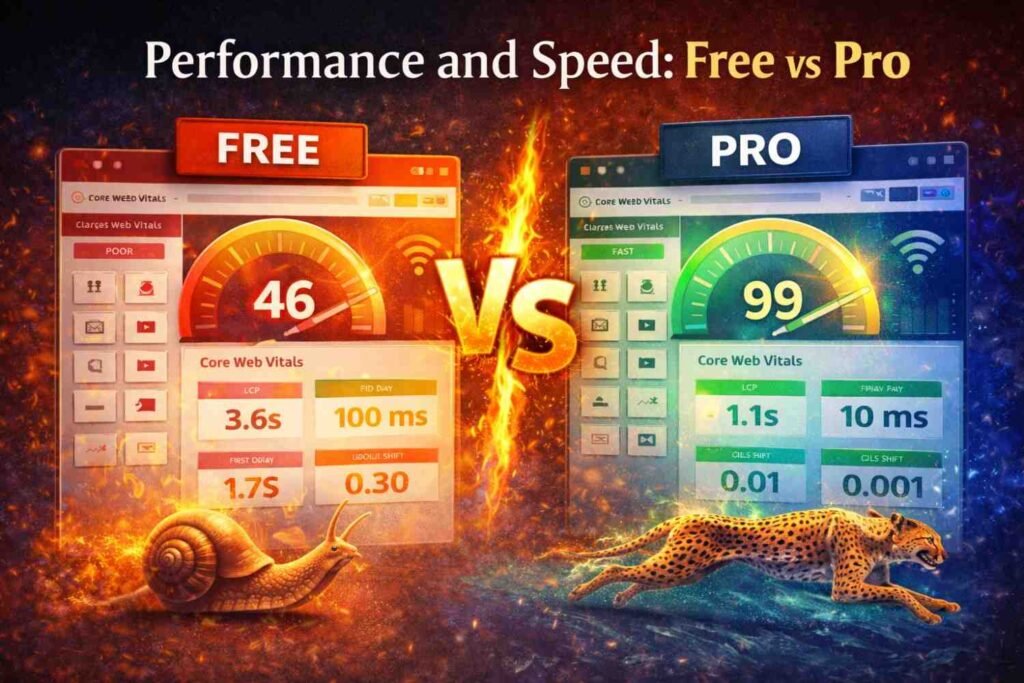
Performance and speed are crucial factors to consider when choosing between Elementor Free and Pro, as they can significantly impact user experience and search engine rankings. Both versions of Elementor are designed to be lightweight and efficient, ensuring that your website loads quickly and performs well. However, the additional features and tools available in Elementor Pro can potentially affect performance if not used correctly. Therefore, it’s essential to understand how each version impacts your site’s speed and what steps you can take to optimize performance.
Elementor Free, being a more streamlined version, naturally has a smaller footprint and fewer resources to load. This generally results in faster load times and better overall performance. Users of Elementor Free can further optimize their site’s performance by utilizing caching plugins, optimizing images, and minimizing the use of third-party scripts. These practices can help ensure that your site remains fast and responsive, providing a better user experience.
Elementor Pro, with its expanded feature set, may introduce additional elements that can impact performance. For instance, using multiple advanced widgets, animations, and custom CSS can increase the load time of your pages. However, Elementor Pro includes performance optimization tools that can help mitigate these effects. Features like lazy loading for images, minification of CSS and JavaScript files, and compatibility with performance-enhancing plugins can help maintain optimal speed. By following best practices and leveraging these tools, users of Elementor Pro can achieve a balance between advanced functionality and high performance.
Customer Support and Resources
Customer support and resources play a vital role in the overall experience of using a page builder like Elementor. Whether you’re using the Free or Pro version, having access to reliable support and helpful resources can make a significant difference in resolving issues and maximizing the potential of the plugin. Elementor Free users have access to a variety of resources, including extensive documentation, video tutorials, and community forums. These resources can help users learn how to use the plugin effectively and troubleshoot common issues.
However, one of the key advantages of upgrading to Elementor Pro is the access to premium support. Pro users benefit from priority assistance, which includes live chat support and faster response times. This level of support can be invaluable, especially when facing complex technical challenges or tight deadlines. Additionally, Elementor Pro users have access to exclusive resources, such as advanced tutorials, webinars, and design inspiration. These resources can help users stay updated with the latest features and best practices, ensuring that they get the most out of the plugin.
Both Free and Pro users can also benefit from the vibrant Elementor community. The community includes a wide range of users, from beginners to experienced professionals, who share tips, tricks, and solutions. The community forums, Facebook groups, and social media channels provide a platform for users to connect, collaborate, and seek advice. This sense of community can be particularly beneficial for new users who are looking for guidance and support as they navigate the website-building process.
Conclusion: Choosing the Right Version for Your Needs
Choosing between Elementor Free and Pro ultimately depends on your specific needs, goals, and budget. Elementor Free offers a solid foundation for building beautiful and functional websites without any financial investment. It provides essential tools and features that can meet the needs of personal bloggers, small businesses, and non-profit organizations. If you’re just starting with website design or have limited resources, Elementor Free is an excellent choice that can help you create a professional-looking site.
On the other hand, Elementor Pro unlocks a world of advanced features and tools that can significantly enhance your website’s functionality and design. The Pro version is ideal for e-commerce websites, agencies, freelancers, and large businesses that require more customization and advanced capabilities. The additional widgets, Theme Builder, WooCommerce Builder, and premium support make Elementor Pro a powerful tool for serious website creators. If you’re looking to take your website to the next level and have the budget to invest, Elementor Pro offers excellent value for money.
In conclusion, both Elementor Free and Pro have their unique strengths and use cases. By carefully considering your website’s requirements and your goals, you can make an informed decision on which version is right for you. Whether you choose the Free or Pro version, Elementor provides a user-friendly and powerful platform that can help you create stunning websites with ease. With the right tools and resources, you can bring your vision to life and achieve your website goals.