
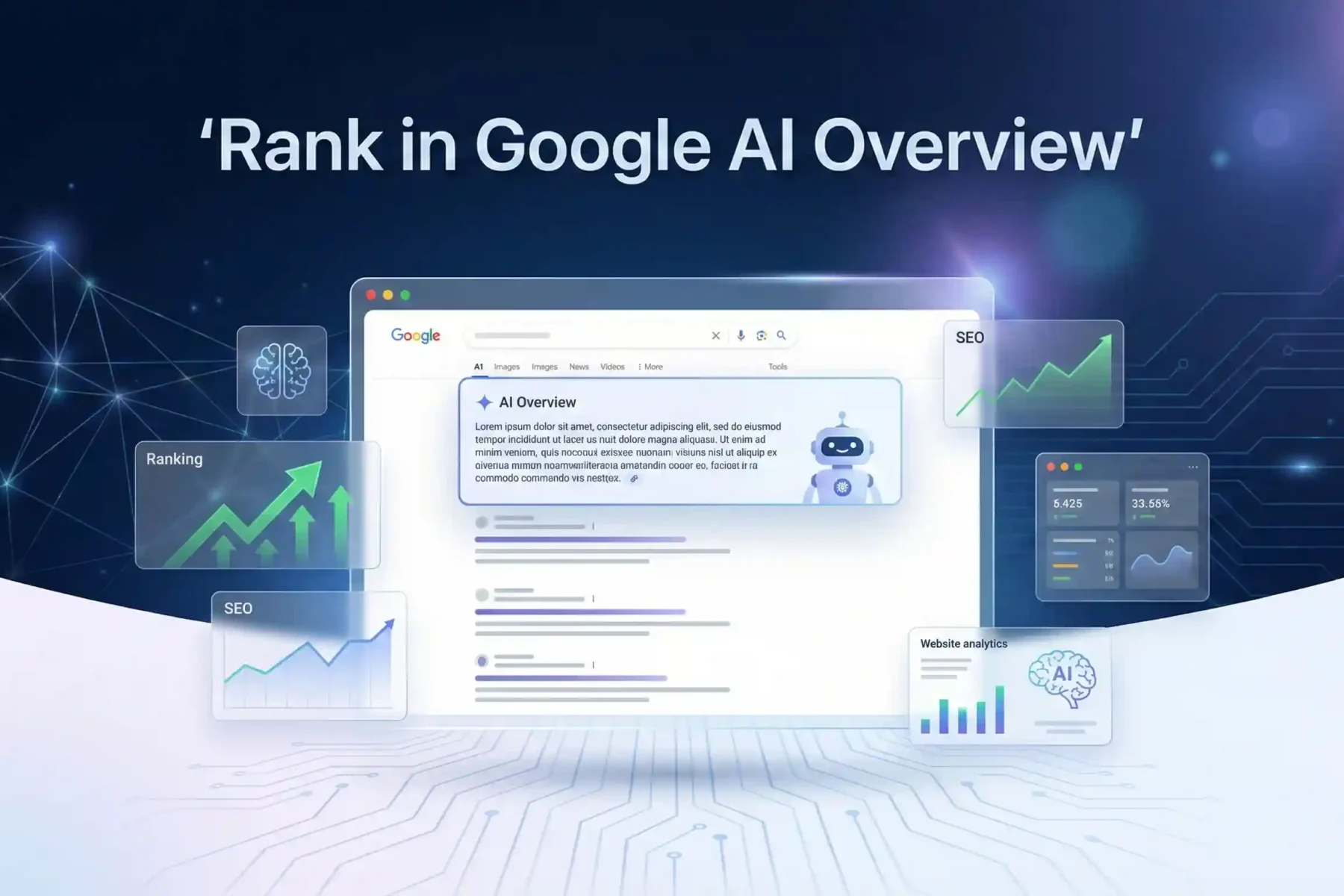
How To Rank a Website In Google’s AI Overview?
Google’s AI Overview show answers above normal search, and it changes how SEO works. It gives a direct solution to users. If your website appears here, you get more clicks and fast trust. So, understand how it behaves for ranking.
Create helpful content that matches user intent. Explain the steps simply. Add structured data so Google understand things better (like schema format). Use E-E-A-T. Show real experience. Give examples. Track monthly analytics and update pages. Write a clear summary and short answers to the questions.
This guide teaches ranking factors, optimisation strategy, content formatting, structured data, and future SEO. Make the content strong now and win the position.
What Is Google’s AI Overview and How Does It Work?
Google’s AI Overview is the new box at the top of search results. It gives you a quick summary with generative AI (once called SGE). You type a question, Google reads many pages fast, then writes a short answer in your own words and shows links below.
How AI Overview Collects Data
Google look at top top-ranking pages. Take information from different sources. Mix them like cooking a soup from many ingredients.
How It Make the Summary
Use a big AI model. Read all texts. Understand the meaning. Write a simple answer in 3-6 sentences. Put the most important facts first.
Citations and Clickable Links
Every key fact has a small number or an arrow. You click, and it jumps directly to the part of the website (this helps you check the truth fast).
Difference with Featured Snippet
The featured snippet takes exact text from one site only. AI Overview create new text from many sites. More complete, but sometimes changes the meaning a little. So always click links and read for yourself.
Why Ranking in AI Overview Matters for Businesses and SEO
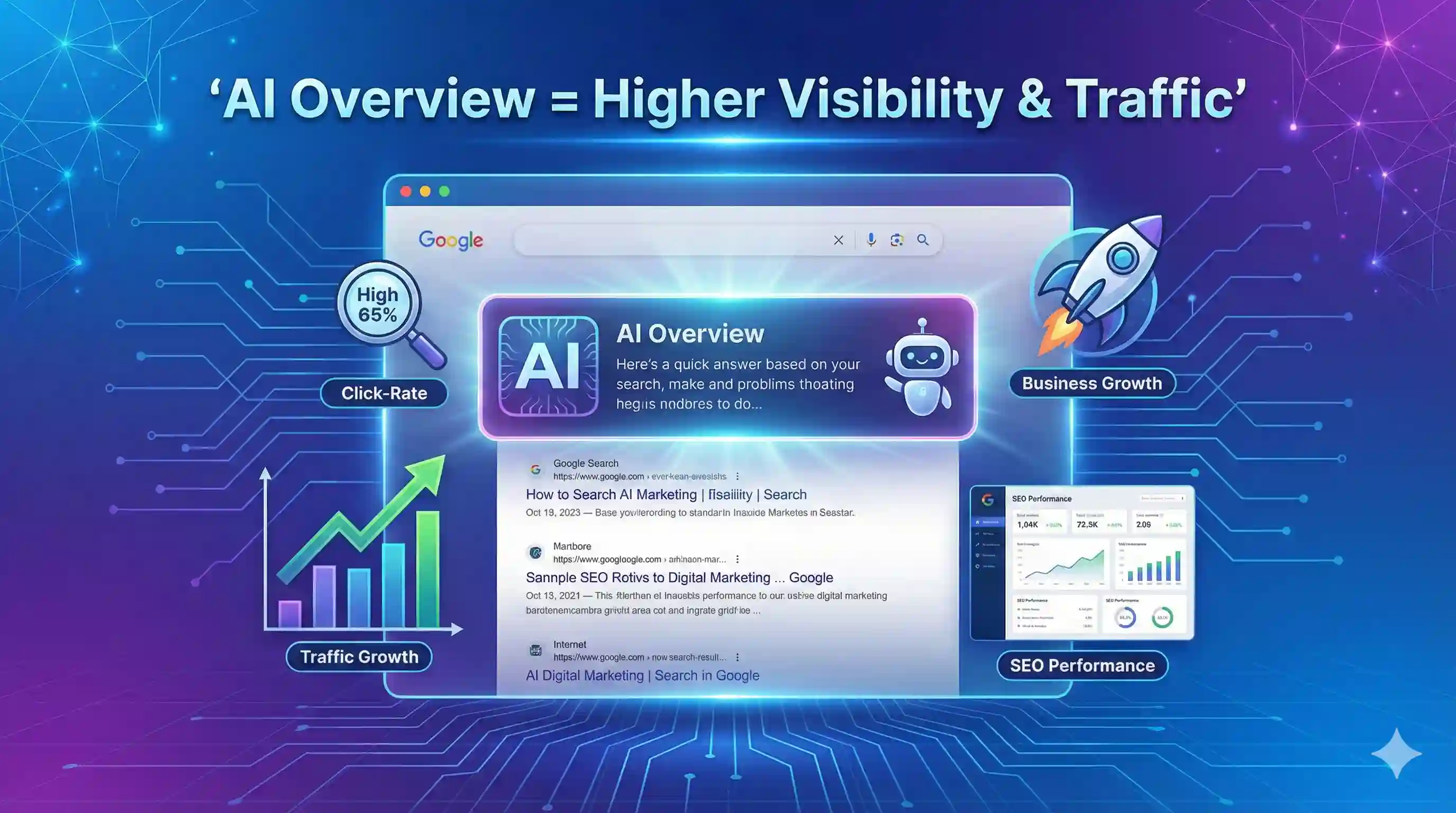
Ranking in AI Overview puts your business at the very top – like a big sign on the highway that everyone sees first. Normal organic rankings hide lower now. You need this spot.
Get Massive Visibility Fast
AI Overview show your name before Google even list normal results. Millions see it daily. This gives huge exposure (no need to wait months like old SEO).
Higher Clicks Than Position 1
People click the AI box more than the first blue link. Tests show 40-60% traffic sometimes goes here. You get clicks even if your normal rank is #5 or #10.
Beat Competitors Who Still Do Old SEO
Most companies still chase normal rankings. You jump ahead when you optimise for AI. They work slowly – you appear tomorrow.
Build Trust Like a Featured Expert
Google picking you for the AI Overview means you are the authority. Customers trust this more. The brand looks stronger.
More Traffic, Stable and Growing
AI traffic grows every month. Catch it now – later becomes harder. Start optimize content for AI answers today.
🔍 Recommended Reading: Popular Now
Master the differences between AEO, SEO, and GEO strategies to optimize your digital marketing approach.
Read Full Comparison →Understanding Search Intent for AI Overview Optimisation
Understanding search intent for AI Overview optimisation is the new game-changer in 2026. Google’s AI Overview loves content that gives direct, clear answers fast—like handing someone exactly what they want, no extra talk.
Know the 3 Main Search Intents
Break every keyword into 3 types. Informational (people want to learn), commercial (people compare before buying), instructional (people want step-by-step how-to). You must match the right one.
Write Like You Answer a Friend
Start with the exact answer in the first 20-30 words. Use simple words. For “how to” queries, give numbered steps immediately. For commercial intent, list pros/cons in a table or short bullets. AI Overview pulls this structure directly.
Structure Your Content for AI
Put the main answer in H1 or the first paragraph. Then add short sections with H2/H3. Use one clear table for comparison (AI loves tables). Keep sentences short. This makes AI pick your content easily.
Check Your Page with a Simple Test
Search for your target keyword. See what the AI Overview shows now. Copy that style exactly—but make yours better and faster to read. Do this every time. It works.
Content Formats That Help You Enter the AI Overview
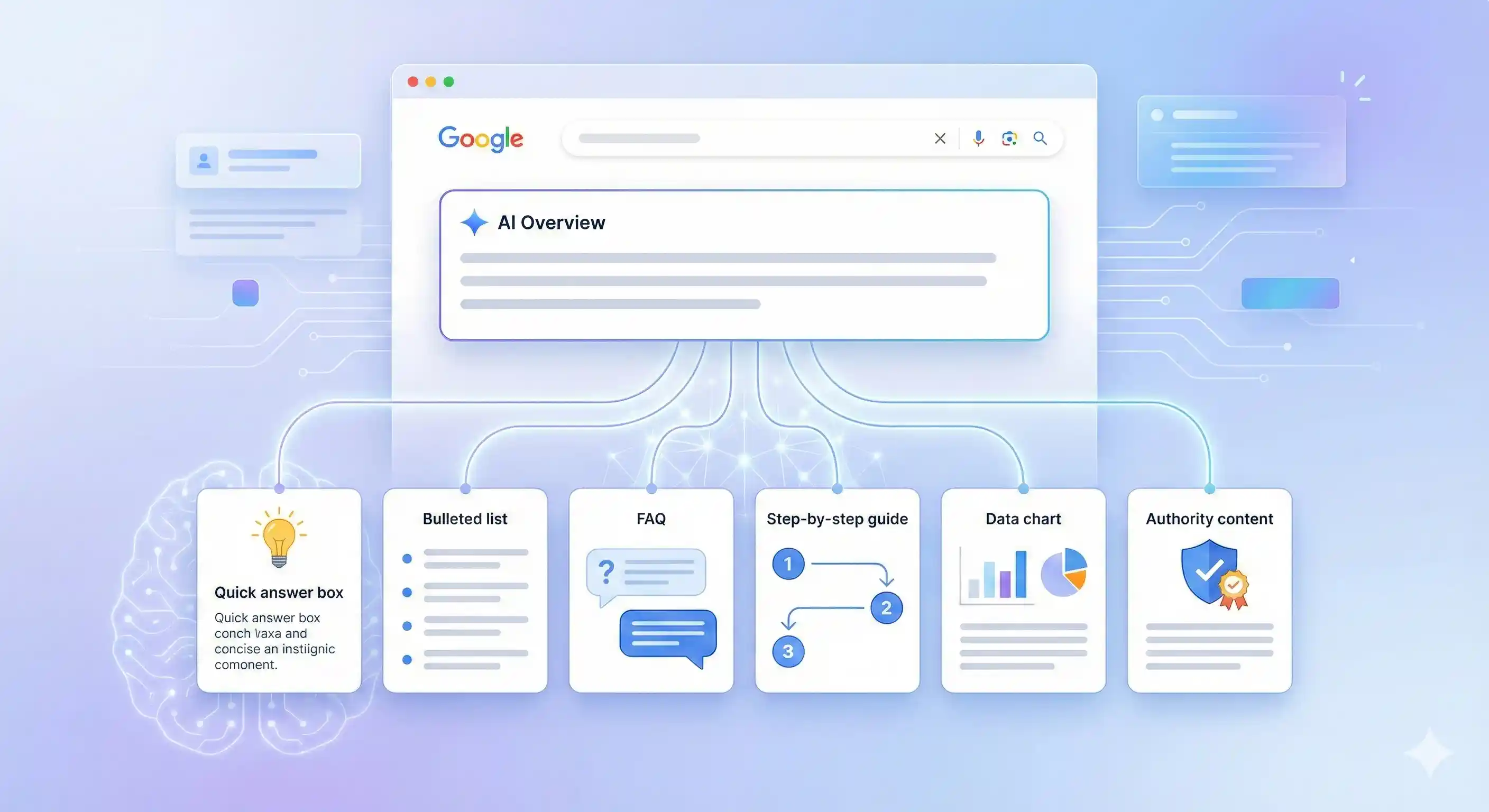
Content formats help you enter the AI overview by giving clear information that Google can easily pull and show. Keep content direct and simple, as you talk to real users. And use a structure that answers questions fast.
Quick Answer Box Style
Write one small answer at the top. Keep it clear and helpful. Like you explain to a friend in one line.
Bullet Points
Break main features or benefits into bullets. Google reads bullets faster. So more chances to show in the AI result.
FAQs Format
Add user questions and short answers. Target what people ask daily on search. Example: “What is an AI overview?” then a short reply.
Step-by-Step Guide
Explain the process in steps. One action per line. Like a guide on how to clean your desk.
Data-Backed Claims
Use numbers and facts to build trust (real data only). It shows authority.
Authoritative Topic Coverage
Cover the full topic in detail. Connect related subtopics. Make your content look like a complete toolbox.
Topical Authority: Covering Complete Topics to Win AI Overview
Topical authority comes when you cover every part of one subject in depth. It shows search engines that you are an expert. Then, AI Overview trust your website more.
Build Complete Topic Clusters
Create one main pillar page. Then write many related subtopics. Cover all the questions users ask. Think of building a house with full bricks, not empty gaps. Use examples like “Social Media Marketing Guide,” then pages about reels strategy, ads, and analytics.
Use Strong Internal Linking
Connect each page with other relevant pages. So users move freely inside your website. It tells Google this content belongs together (very important). Link from the stronger page to the new one to share authority.
Semantic SEO Always
Use related terms, entities, and user intent. Not only the primary keyword. Make content easy to understand by machines and humans. Write naturally and explain small things clearly.
Track and Improve
Check which pages are ranking and which are missing. Update content and add new cluster topics. Keep growing your authority like a tree branching out.
Focus on building complete topic coverage. It’s the foundation for AI trust.
E-E-A-T Signals and Trust-Building for AI Overview Inclusion
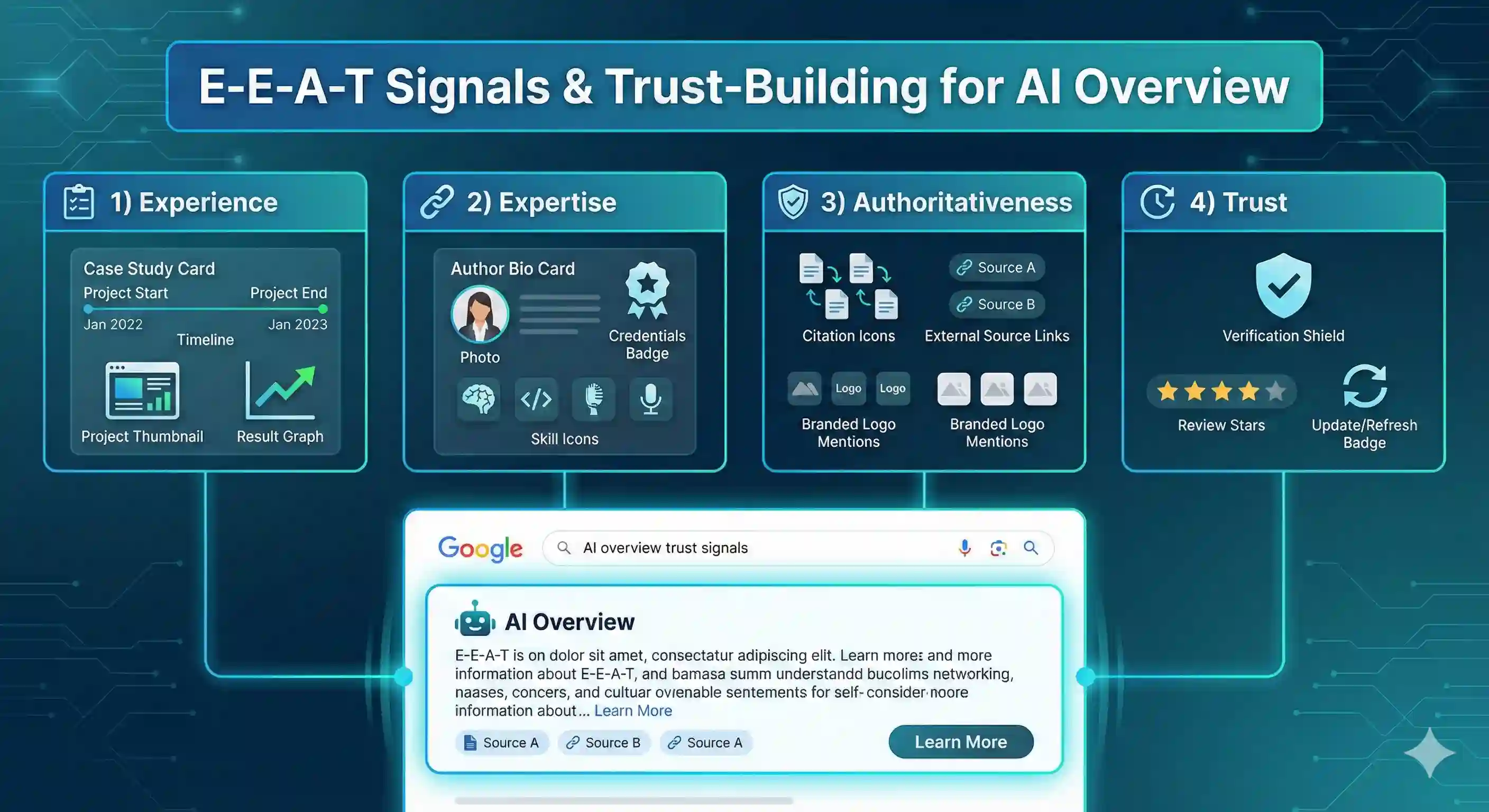
E-E-A-T signals play a big role in AI overview inclusion. Search engines check if your content shows experience and trust. You must focus on proving expertise and being reliable. This strategy builds authority slowly but works.
Show Experience Clearly
Write from your real experience. Share case studies or project examples. Readers trust you more if they see you did it yourself. Add details like the tools you used or the results you got.
Highlight Expertise and Author Bio
Create a visible author bio on the page. Include credentials, skills, and years of work. This tells AI and humans you know your topic well.
Use Citations and Brand Mentions
Cite sources and link to authoritative websites. Mention well-known brands or clients if relevant. This gives credibility (it’s like showing receipts).
Update Outdated Content
Check old posts. Fix broken links, add new data, and refresh examples. Search engines see active updates as trustworthy.
Build Trust Step by Step
Combine all these signals. Experience, expertise, bio, citations, updates. Do this consistently for a better AI overview inclusion.
Structured Data and Page Markup for AI Overview Visibility
Structured data and page markup help AI overview visibility by telling Google exactly what your content is about. Use proper schema markup so your pages show rich results sometimes. This work is not instant, but it gives a better understanding of search engines and AI summaries.
FAQ Schema
Use FAQ markup when you have questions and answers on your page. Google can show them in the AI overview and search results. Write clear questions and short answers. You should keep them precise.
HowTo Schema
Use the HowTo schema for step-by-step instructions. Google reads steps and shows them in structured snippets. Make each step simple and actionable (like small instructions).
Product Schema
Add Product markup for product pages. Include price, availability, and ratings. AI overview: Use this info to show product details fast.
Organization Schema
Use the Organisation schema to show business info. Include name, logo, contact, and social links. AI recognises your brand better.
Article Schema
Apply Article markup for blogs and news. Include headline, author, and publish date. This helps Google AI summarise your content correctly.
Using Images, Charts, and Visuals to Strengthen AI Overview Selection
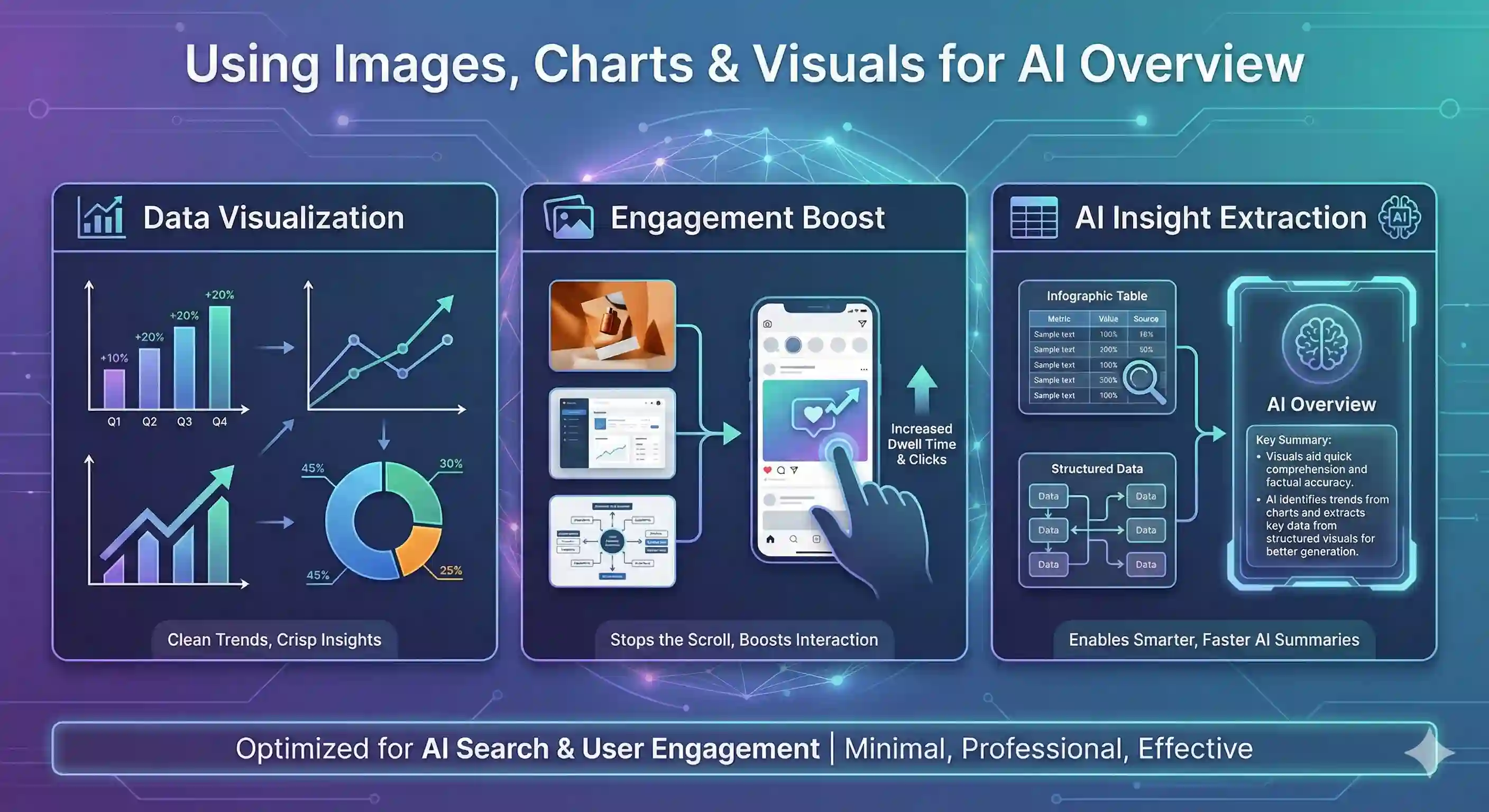
Using images, charts, and visuals in your AI overview selection makes your content clear and easy to read. Visuals catch attention fast and help explain complex ideas (like showing a chart instead of long text). AI can also pick better insights when data is visual, so your analysis becomes stronger and more useful.
Show Data Clearly
Use charts to show trends and numbers. Don’t just write long paragraphs. A line graph or bar chart helps the reader understand quickly. This also helps AI see patterns without confusion.
Increase Engagement
Add images related to the topic. People stop scrolling when visuals appear. This strategy gives fast attention. Use simple, relevant visuals (screenshots, diagrams) to keep the reader focused.
Help AI Extract Insights
AI reads visual data better sometimes. Infographics, charts, and tables give AI structured info. This improves the quality of the AI summary and overview. Always combine text and visuals for the best result.
Mobile and Page Experience Optimisation for AI Overview Ranking
Mobile and page experience play a big role in the AI Overview ranking. Google look at how users feel on your site, not just words. Slow pages or bad layout reduce trust and ranking. You must focus on speed, layout, and clear interaction for the best results.
Core Web Vitals
Check LCP, FID, and CLS. Largest Contentful Paint (LCP) must load fast (under 2.5s). First Input Delay (FID) should react immediately when the user clicks something. Cumulative Layout Shift (CLS) must be low (less than 0.1) so the page doesn’t jump around. These metrics show real experience.
Fast Load Time
Compress images, use caching, and reduce unnecessary scripts. Fast load improve user trust and AI Overview ranking. Think of it like a car engine—a slow engine makes a traffic jam.
Responsive Design
Make the page fit all screens. Mobile users must scroll less and see content clearly. Test on phones, tablets, and laptops.
UX Signals
Improve buttons, menus, and readability. Clear navigation keeps visitors longer. A longer stay helps the AI Overview ranking.
Monitoring AI Overview Results and Performance Metrics
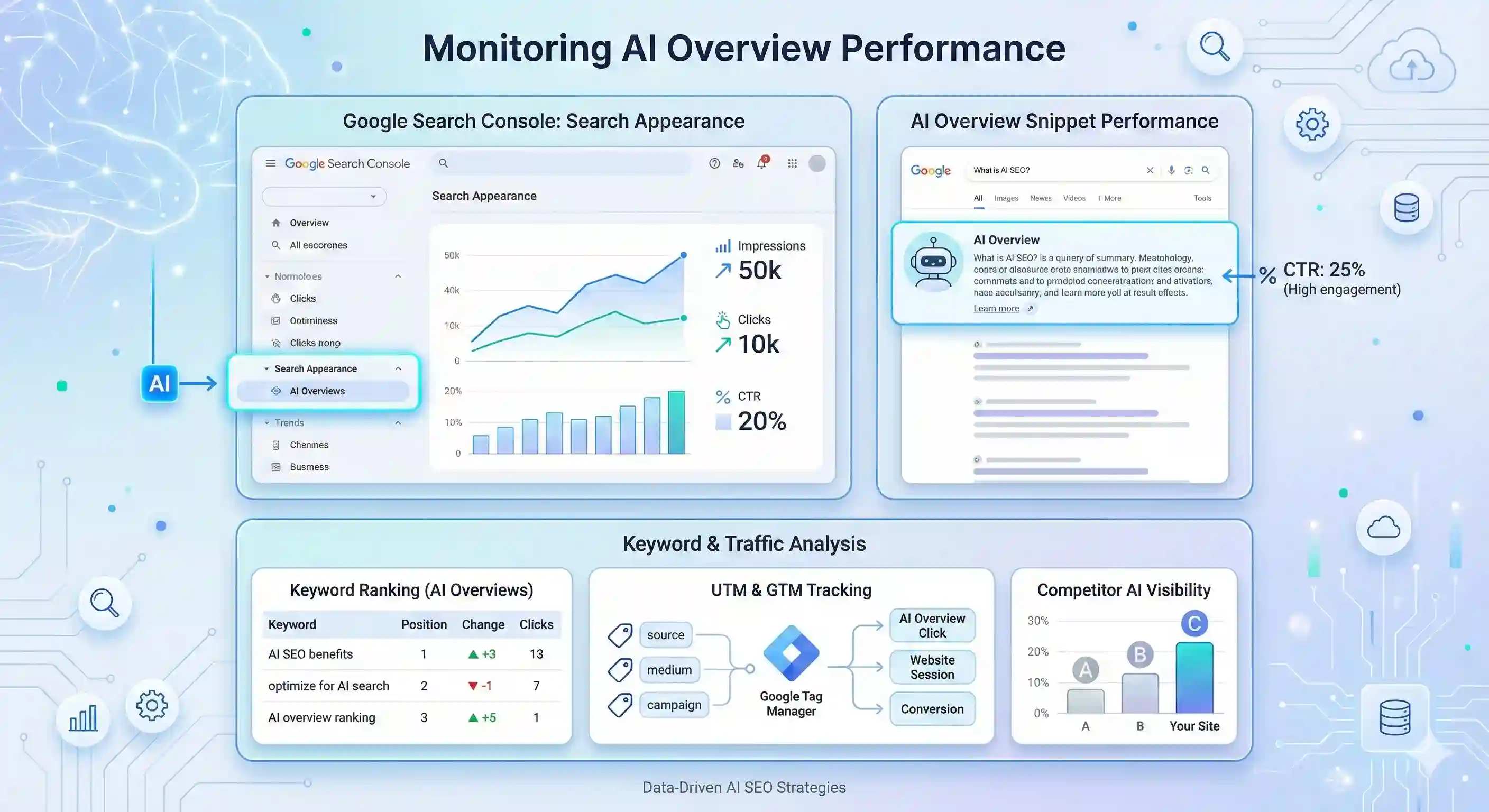
Monitoring AI Overview results is now critical for real traffic. You see them in Google as big answer boxes at the top. Track how often you appear there and what clicks come.
Set Up Search Console Correctly
Open Google Search Console. Go to the Performance tab. Turn on the “Search Appearance” filter. Choose “AI Overviews”. Now you see impressions, clicks, and CTR for your site in AI results. Check every week.
Watch Your Queries Daily
Look at the queries list. Find which questions trigger the AI Overview on your page. Export data. Put it in a simple sheet. Mark, is the position good or bad? This shows you real keywords working now.
Track Clicks from AI Boxes
Use UTM tags on links inside your content (like ?utm_source=ai-overview). Or use event tracking in Google Tag Manager when people click on the AI snippet. This gives the exact number of visitors from AI.
Spy on Competitors Fast
Search same queries manually. See who ranks in the AI Overview. Use tools like Semrush Sensor or Ahrefs. Copy their title style and structure. It's like looking over shoulder – simple and effective. Do this monthly.
🤖 Must-Read Guide: Time-Sensitive
Discover AI strategies that are transforming digital marketing right now. Implement before competitors do.
Unlock AI Strategies Now →Future of SEO with Google’s AI Overview: What to Expect
Google’s AI Overview change everything now. Traffic comes differently, not only from blue links. You need to adapt fast or lose visibility.
Understand New Search Behaviour
People ask long questions now. AI give a full answer on top. Click less to websites. Build content that answers like a human, not a robot.
Focus on Generative SEO
Write a deep, helpful guide. Use clear structure, short paragraphs, and real examples. AI love this format. Make topic clusters around the main pillar page (do this for every big keyword).
Citations Become Gold
Google shows the source under the AI answer. Get mentioned there = big traffic wave. Create original data, research, and expert quotes. This is new link building.
Keep Evergreen Content Fresh
Update old articles every 3-6 months. Add new stats, a new section, better answer. Google pick fresh content for the AI summary more.
Final Thoughts
Ranking in Google’s AI Overview needs clear topical authority. You should build content that shows expertise and covers the topic fully. Use structured headings and paragraphs so AI can understand your pages easily. E-E-A-T is important—show experience, expertise, authority, and trustworthiness.
Focus on user experience too. Fast loading pages, clear navigation, and readable content help both users and AI. Optimise images and links, keep text simple, and make information easy to scan. This strategy gives a better chance of appearing in AI-driven results.
Test your results often. Track clicks, impressions, and rankings. Adapt your strategy when AI changes behaviour. Keep improving content (small updates help) and monitor performance for long-term growth.