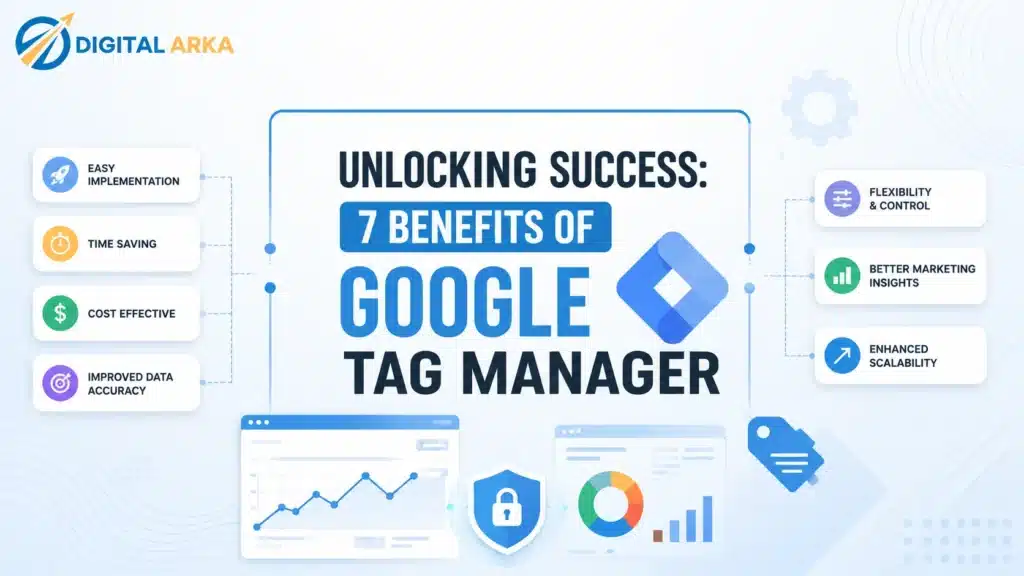
Discover how Google Tag Manager can elevate your marketing strategy. Uncover 7 powerful benefits that streamline analytics, boost efficiency, and enhance tracking.
Simplified Tag Management
Managing multiple tags on a website can be a daunting task. Google Tag Manager (GTM) simplifies this process by allowing you to manage all your tags from a single interface. This ensures that you no longer need to rely on developers for every change, which can significantly speed up your workflow. Instead of hardcoding tags directly into your website’s source code, you can now insert them into GTM and publish them with a click.
For businesses with complex websites, having numerous tags can slow down the website’s performance and complicate debugging processes. GTM’s container system consolidates your tags into a single script, effectively reducing the number of HTTP requests your site makes. This not only enhances your site’s load time but also centralizes tag management, making it easier to see and adjust what tags are active and how they are functioning.
Moreover, GTM provides an intuitive user interface and robust documentation, making it accessible even to those who are not technically inclined. With the ability to preview changes before they go live, you can test and debug tags without affecting the live environment. This level of control ensures that your tags are functioning correctly and collecting the right data, adding another layer of efficiency to your marketing operations.
Read Also: Google Just Added Gemini AI to Business Profiles
Enhanced Website Performance
Website performance is crucial for user experience and SEO rankings. Slow-loading pages can lead to higher bounce rates and reduced conversions. Google Tag Manager enhances website performance by streamlining the way tags are loaded and managed. By consolidating multiple tags into a single container snippet, GTM reduces the number of requests made to the server, which can significantly improve page load times.
A faster website provides a better user experience, keeping visitors engaged and reducing the likelihood of them leaving your site prematurely. Improved load times can also positively impact your SEO efforts, as search engines like Google consider page speed when ranking websites. Therefore, by using GTM to optimize how your tags are managed, you’re not just enhancing user experience, but also potentially boosting your site’s visibility in search engine results.
Additionally, GTM allows you to set up tags to fire asynchronously, meaning they do not block the loading of other critical resources on your page. This ensures that your website remains responsive and fast, even as you add more tags for tracking and analytics purposes. The ability to control tag firing sequences and prioritize critical tags further optimizes your site’s performance.
Improved Tracking and Analytics
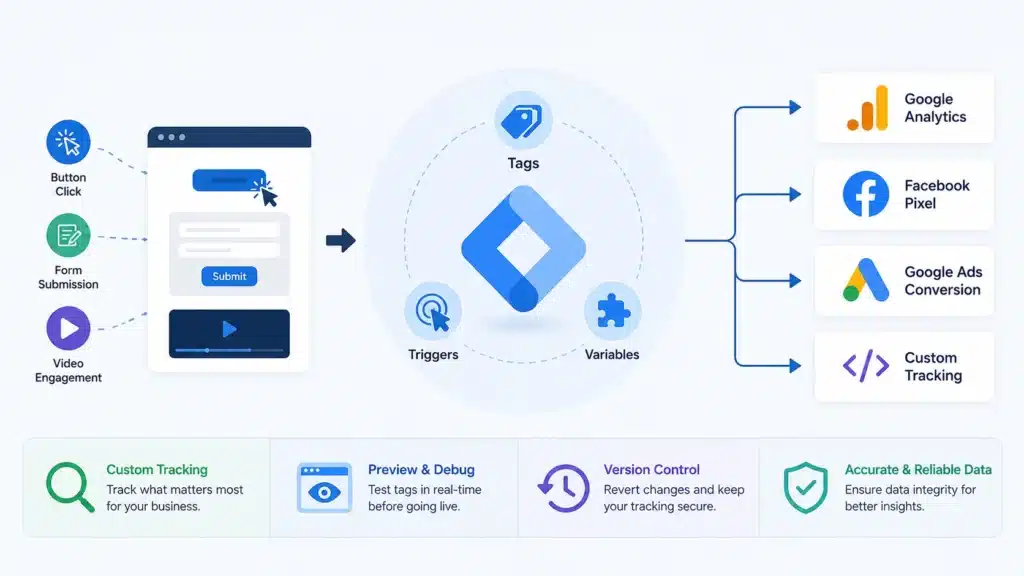
Accurate tracking and analytics are essential for making informed marketing decisions. Google Tag Manager significantly improves tracking capabilities by allowing you to implement and manage various tracking codes with ease. Whether it’s Google Analytics, Facebook Pixel, or custom event tracking, GTM provides a centralized platform to handle all your tracking needs.
One of the standout features of GTM is its ability to create custom triggers and variables. This flexibility allows you to track specific user interactions that are important to your business, such as form submissions, button clicks, and video engagement. By capturing detailed data on how users interact with your site, you can gain deeper insights into user behavior and optimize your marketing strategies accordingly.
Furthermore, GTM’s built-in debugging and version control features ensure that your tracking is accurate and reliable. The preview mode lets you test tags in a controlled environment before they go live, reducing the risk of errors. Version control allows you to revert to previous configurations if needed, providing an additional layer of security and peace of mind. With GTM, you can confidently implement complex tracking setups without worrying about data integrity.
Streamlined Marketing Campaigns
Marketing campaigns often require the deployment of multiple tags to track various metrics and conversions. Google Tag Manager streamlines this process by providing a centralized platform to manage all your marketing tags. With GTM, you can quickly implement and update tags for different campaigns without needing to touch the website’s code, saving time and reducing the risk of errors.
The ability to quickly deploy and update tags means that you can respond to changes in your marketing strategy more efficiently. For example, if you need to adjust your tracking for a new ad campaign or A/B test, you can do so within GTM without involving your development team. This agility allows you to stay ahead of the competition and make data-driven decisions in real-time.
Additionally, GTM supports a wide range of third-party tags, making it easy to integrate with various marketing tools and platforms. Whether you’re running Google Ads, Facebook campaigns, or using CRM systems, GTM provides a seamless way to manage all your tags in one place. This centralized approach not only simplifies tag management but also ensures that your tracking is consistent and accurate across all campaigns.
Increased Flexibility and Control
One of the key benefits of Google Tag Manager is the increased flexibility and control it offers. With GTM, you have the power to create and manage tags, triggers, and variables without relying on developers. This independence allows marketers to implement and adjust tracking setups quickly, ensuring that they can respond to changes in their marketing strategy without delays.
The flexibility of GTM extends to its support for custom tags and scripts. If you have specific tracking needs that are not covered by built-in templates, you can create custom HTML tags to achieve your goals. This level of customization ensures that GTM can accommodate a wide range of tracking requirements, making it a versatile tool for any business.
Furthermore, GTM’s user permissions feature allows you to control who can access and modify your tags. This is particularly useful for larger organizations with multiple team members involved in marketing and analytics. By setting appropriate permissions, you can ensure that only authorized personnel can make changes, reducing the risk of errors and maintaining the integrity of your tracking setup.
Read Also: SEO Looks Different Today — And Most Businesses Are Still Playing the Old Game
Seamless Integration with Other Tools
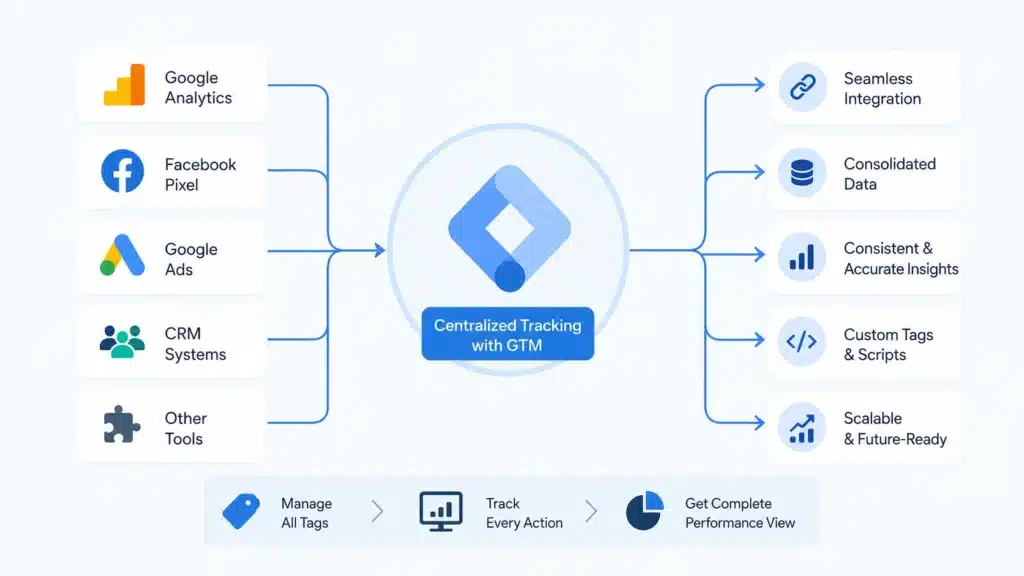
In today’s digital landscape, businesses rely on a variety of tools and platforms to manage their marketing efforts. Google Tag Manager offers seamless integration with a wide range of third-party tools, making it a central hub for all your tracking needs. Whether you’re using Google Analytics, Facebook Pixel, or CRM systems, GTM provides built-in templates and easy-to-use interfaces to integrate these tools effortlessly.
The ability to integrate with other tools means that you can consolidate your tracking efforts and ensure that all your data is collected and analyzed in one place. This not only simplifies your workflow but also ensures that your data is consistent and accurate across all platforms. For example, you can use GTM to track conversions from Google Ads and Facebook campaigns, providing a comprehensive view of your marketing performance.
Moreover, GTM’s support for custom tags and scripts means that you can integrate with virtually any tool or platform, even if it’s not natively supported. This flexibility ensures that GTM can adapt to your specific tracking needs and grow with your business. Whether you’re adding new marketing tools or adjusting your tracking setup, GTM provides a scalable solution to manage all your tags efficiently.
Cost-Effectiveness for Businesses
Implementing and managing tracking tags can be a costly endeavor, especially for businesses with complex websites and marketing strategies. Google Tag Manager offers a cost-effective solution by providing a free platform to manage all your tags. This eliminates the need for expensive third-party tag management services and reduces the dependency on developers, saving both time and money.
The cost savings extend beyond the initial implementation. With GTM, you can quickly deploy and update tags without requiring developer intervention, reducing the ongoing maintenance costs associated with traditional tag management. This efficiency allows you to allocate resources to other critical areas of your business, maximizing your overall marketing budget.
Additionally, the improved tracking and analytics capabilities provided by GTM can lead to better decision-making and increased ROI. By capturing accurate and detailed data on user interactions, you can optimize your marketing strategies and improve your conversion rates. The insights gained from GTM can help you make more informed decisions, ensuring that your marketing efforts are effective and aligned with your business goals.
Best Practices for Implementing Google Tag Manager
Implementing Google Tag Manager can significantly enhance your marketing efforts, but it’s essential to follow best practices to maximize its benefits. Here are some key recommendations to ensure a successful GTM implementation:
- Create a Plan: Before implementing GTM, develop a comprehensive plan outlining your tracking goals, the tags you need, and how they will be triggered. This will help you stay organized and ensure that your tracking setup aligns with your business objectives.
- Use Naming Conventions: Establish clear naming conventions for your tags, triggers, and variables. This will make it easier to manage and understand your GTM setup, especially as it grows in complexity.
- Leverage Built-In Templates: Take advantage of GTM’s built-in templates for common tags, such as Google Analytics and Facebook Pixel. These templates simplify the implementation process and ensure that your tags are configured correctly.
- Test Thoroughly: Use GTM’s preview and debug mode to test your tags before publishing them. This will help you identify and resolve any issues, ensuring that your tags are functioning as intended.
- Implement Version Control: Regularly save versions of your GTM container and document any changes made. This will allow you to revert to previous configurations if needed and maintain a clear history of your tracking setup.
- Monitor Performance: Continuously monitor the performance of your tags and make adjustments as needed. Regularly reviewing your tracking data will help you identify opportunities for optimization and ensure that your GTM setup remains effective.
By following these best practices, you can ensure a smooth and successful implementation of Google Tag Manager, maximizing its benefits for your business.
Conclusion: Maximizing Your Marketing Potential with Google Tag Manager
In today’s fast-paced digital landscape, effective tag management is crucial for optimizing marketing efforts and gaining a competitive edge. Google Tag Manager offers a powerful and user-friendly solution to streamline tag management, enhance website performance, and improve tracking and analytics. By providing increased flexibility, seamless integration with other tools, and cost-effective solutions, GTM empowers businesses to maximize their marketing potential.
Implementing GTM can significantly elevate your marketing strategy, allowing you to make data-driven decisions and respond quickly to changes in the market. By following best practices and leveraging the full capabilities of GTM, you can ensure a successful implementation and enjoy the numerous benefits it offers. Unlock the full potential of your marketing efforts with Google Tag Manager and take your business to new heights.